unraster

Power BI to editable PowerPoint. Not one flat image.

Upload a Power BI page, exported as an image or screenshot, and get PowerPoint text and shapes you can move, retype and recolour.

or drop images or a PDF ·

One image: a free PowerPoint preview, then $2.99 or 2 credits. PDF or several images (up to 30 pages): 2 credits per delivered page; for 2 or more pages a credit pack costs less.
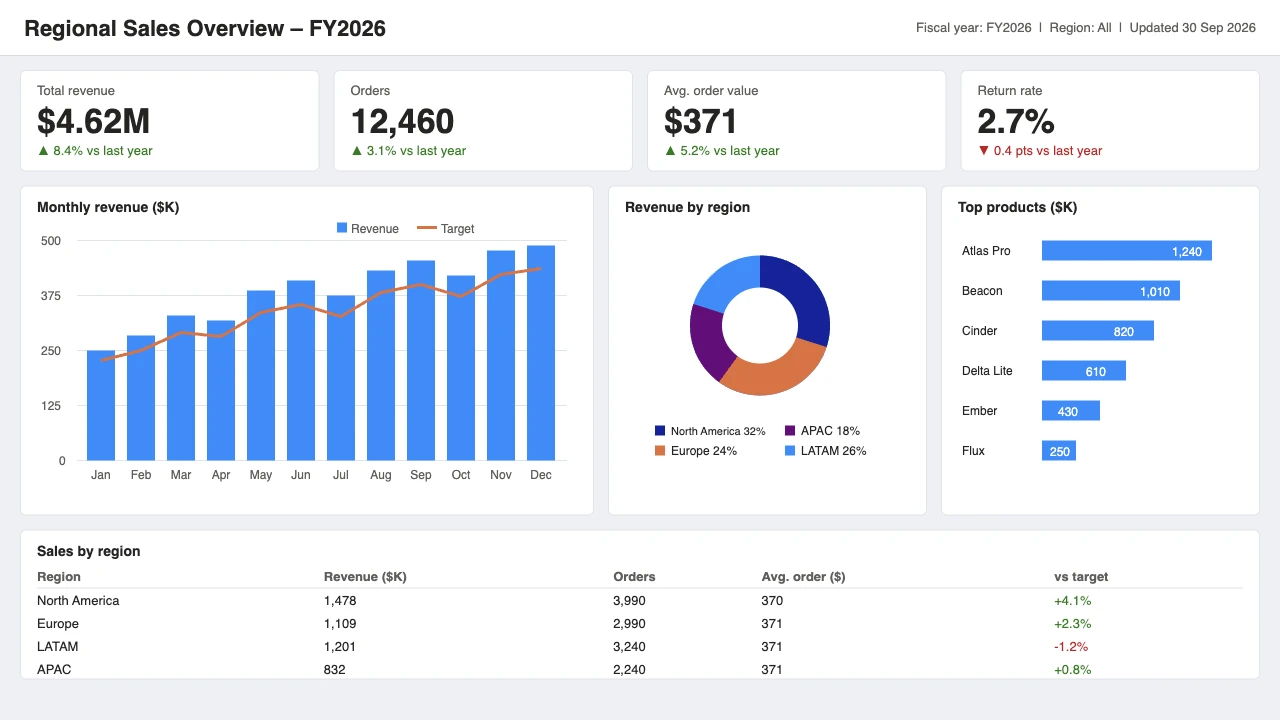
Original dashboard
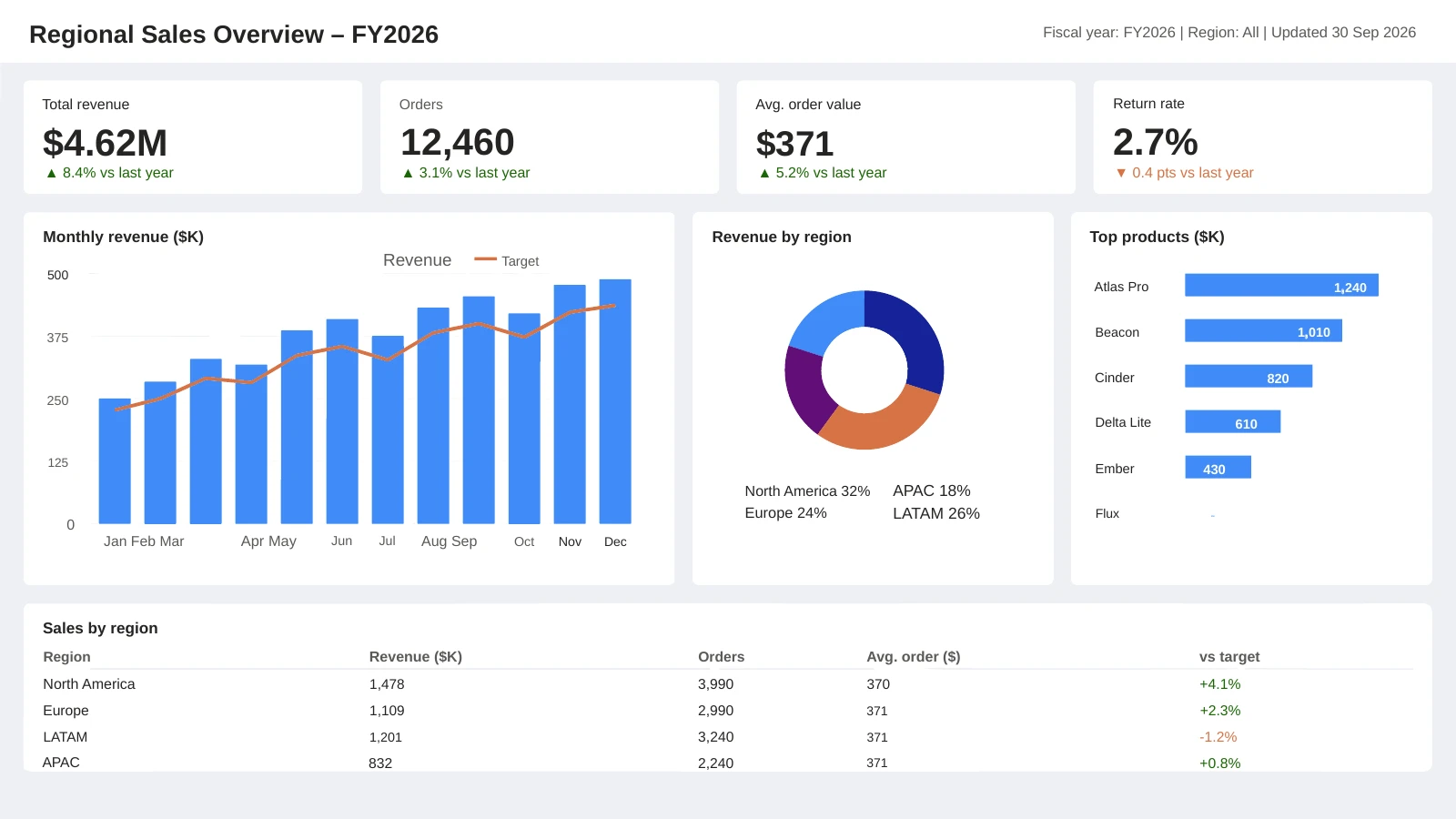
dashboard as an editable PowerPoint slide
Example: a real conversion. Drag to compare.Outlines and download ↓

A dashboard image, rebuilt as slide objects.

A real conversion of a self-made, Power BI-style sales dashboard (invented data). The right side is the final PowerPoint file; outlines mark native objects.

Compare
Original image
PowerPoint result

Preview rendered from the downloadable PPTX. Outlines show native PowerPoint objects. Some fine lettering may remain as shapes.

How to make a Power BI export editable in PowerPoint

Unraster is not affiliated with Microsoft, Power BI or Tableau.

  1. Export the report as an image

    In the Power BI service choose Export, then PowerPoint, then Export as image. Each report page becomes one slide holding one picture.

  2. Get one slide as an image

    Save the slide you want as a PNG or JPG from PowerPoint, or take a screenshot of the dashboard. Upload the slide image or a PDF, not the .pptx itself. Unraster takes a single image per slide, or on the website one PDF or up to 30 images.

  3. Upload and convert

    Drop the image above. Text becomes text boxes and charts become shapes. The first PowerPoint preview on your account is free.

  4. Edit in PowerPoint

    Download the .pptx, retype labels, recolour bars and rearrange cards. Re-check numbers against your report before sharing.

Free to start. Pay only for what you keep.

PowerPoint is 2 credits a page, Advanced SVG 1. You pay only when you get the file. Basic SVG is always free.

One PowerPoint Start here

$2.99one-time

  • Log in with Google and preview your first PowerPoint free
  • Pay $2.99 or 2 credits only at download
  • One per account, for a single image

A PDF or several images? Each page is 2 credits and has no free preview. A 10–20 page deck is 20–40 credits, so the 50-credit pack ($29.90) covers it.

Credit pack No subscription

$9.90one-time

  • 7 PowerPoint pages or 15 Advanced SVGs
  • $0.66 per credit
  • Credits last 12 months

Subscription

$17.91/ month

Billed $214.90 yearly

  • 25 PowerPoint pages or 50 Advanced SVGs every month
  • Batch: up to 10 files at once
  • $0.36 per credit
  • Credits last 90 days

Prices in USD. Optional AI Clean-up is 1 credit. Up to 2 Advanced SVGs are free. Cancel or change plans anytime in Credits & billing.

Questions

Anything else? Email us.

Can Power BI export to editable PowerPoint?

Not as editable shapes. Microsoft Learn says that when you export to PowerPoint, each report page is exported as a single high-resolution image, and each slide is a static image. The export also adds a link back to the report.

Why is my Power BI export one picture per slide?

That is how Power BI’s Export as image works: Microsoft’s page says each page becomes an individual slide and each page is an independent image, at 1,280 x 720 pixels. There is no text box to click inside the picture.

How do I make a Power BI dashboard editable in PowerPoint?

Save a page of the exported deck as an image, or screenshot the dashboard, then upload it here. Text is rebuilt as text boxes and charts as shapes. Microsoft also offers a live report page in PowerPoint through its add-in, which stays connected to the report rather than becoming editable shapes.

Will the charts become real PowerPoint charts?

No. Bars, lines and donuts come back as shapes and text, with no data table behind them. To change the numbers you edit the labels by hand or rebuild the chart from your data.

What about Tableau dashboards?

Tableau’s help says that exporting to PowerPoint turns the selected sheets into static PNG images on separate slides. Those images can be uploaded here the same way.

Can I upload the whole exported deck?

On the website you can upload one PDF of up to 30 pages, or up to 30 images, and get one PowerPoint at 2 credits per delivered page, with no free preview. A single image gets the free preview first. The API takes one image per request.

Will small text and dense dashboards convert well?

Large titles and numbers do best. Very small text, legends and thin lines can be misread or dropped, so zoom in and check each number before presenting.

Does it touch my data or report?

No. Unraster only sees the image you upload; it does not connect to Power BI. Choosing PowerPoint sends the image for conversion.

What does it cost?

The first PowerPoint preview on your account is free; downloading that one is a one-time $2.99 or 2 credits. After that each PowerPoint is 2 credits. No subscription is needed, and you pay only for delivered files.

Turn your Power BI page into slide objects you can edit.

Or drop images or a PDF anywhere on this page.

My files

Pick up where you left off. Saved on this browser.

A fresh canvas awaits.

Images you convert will appear here.

Clearing browser data removes this history.