SVG to DXF converter. In millimetres.
Turn an SVG into a DXF made of polylines for laser cutting, CNC and CAD. Curves and arcs are converted, nested transforms are applied, and the size is in millimetres.
or drop an SVG file · ·
SVG · up to 15 MB · paste works tooFree · runs in your browser · your file is not uploaded
Only have a PNG or JPG? Trace it to SVG on the homepage: Basic is free, Advanced is 1 credit.
A mounting plate, drawn in SVG, cut in DXF.
A real export from this tool. The plate is 80 by 50 mm with arcs, rounded corners, circles and a rotated group. The right side is the DXF read back and drawn.
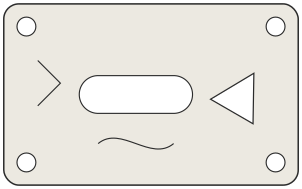
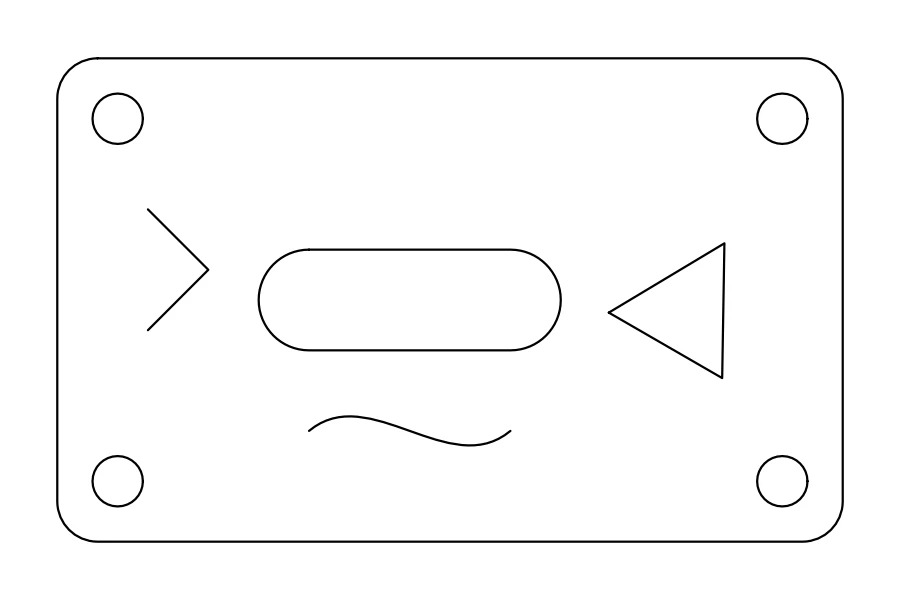
Closed shapes become closed polylines and open lines stay open. Curves are written as many short straight segments, so the DXF follows the drawing within a small tolerance. Download the sample DXF
How to convert SVG to DXF
- Open your SVG
Choose a file, drop it on the page or paste the code. It stays on your device.
- Check the size
The tool reads the size from the file: millimetres, centimetres, inches, points, or pixels at 96 per inch. Keep it, or type the width you need in millimetres.
- Download the DXF
Open it in your CAD or laser software and measure a known dimension before you cut.
What works best
Good fits
- Vector shapes made of paths, rectangles, circles, ellipses, lines and polygons
- Parts drawn to scale in a design tool, with the page set up in millimetres
- Outlines for laser cutting, CNC routing, vinyl cutting and CAD import
Keep in mind
- Text and embedded images are not converted. Convert text to outlines in your design software first.
- Strokes are exported as their centre line, not as an outline with thickness. Expand strokes in your design software if you need the stroke width.
- Clipping and masks are ignored, so a clipped shape appears in full.
- If you start from a PNG or JPG, use the PNG to DXF tool, which traces the image first.
Questions
Anything else? Email us.
How does the converter know the size in millimetres?
It reads the width and height in the SVG. Units such as mm, cm, in and pt are converted exactly, and pixels use 96 per inch. With no width and height, the viewBox size is treated as pixels. You can override this by typing the page width in millimetres.
Why is my DXF the wrong size in my CAD software?
Some programs ignore the units in the file header or import at a different unit. Measure a known dimension after import and rescale if needed. Also check whether your SVG was exported at 72 or 96 pixels per inch, since that changes unitless sizes.
Are curves and arcs preserved?
They are converted into short straight segments within about 0.02 mm of the original curve. That is fine for cutting, but the DXF contains polylines, not true arcs or splines.
What happens to rotated and scaled groups?
Transforms on groups and shapes, including nested rotate, scale, skew and matrix, are applied before the points are written, so parts land where they appear in the SVG.
What about strokes, text and images?
A stroked line becomes a single open polyline along its centre. Text and images are skipped, and the tool tells you how many it found. Convert text to outlines first so it exports as shapes.
Which outlines are closed?
Filled shapes and any path that ends with a close command become closed polylines. Lines, open paths with no fill and polylines stay open.
Does it handle use, symbol and defs?
Shapes inside defs are not drawn unless they are used. Elements referenced by use are expanded into place. Symbols with their own viewBox are placed without that extra scaling, and the tool says so when it meets one.
Choose an SVG and get a DXF in millimetres.
Choose SVG fileFree, in your browser, no sign-in.