unraster

Pixel art to SVG. Keep the squares.

Upload a pixel-art sprite and get a free Basic SVG in your browser. Nearest-neighbour edges and the palette survive; a smoothed image stays blurry.

or drop images ·

Basic SVG is free in your browser · Advanced SVG 1 credit · Pricing →

A real pixel-art sprite, as Basic and Advanced SVG.

Compare a 32 × 32 heart-gem sprite, scaled to 512 × 512 with nearest-neighbour and converted online without manual cleanup. Both SVGs keep the square grid and the palette.

CompareBasic is free · Advanced is 1 credit
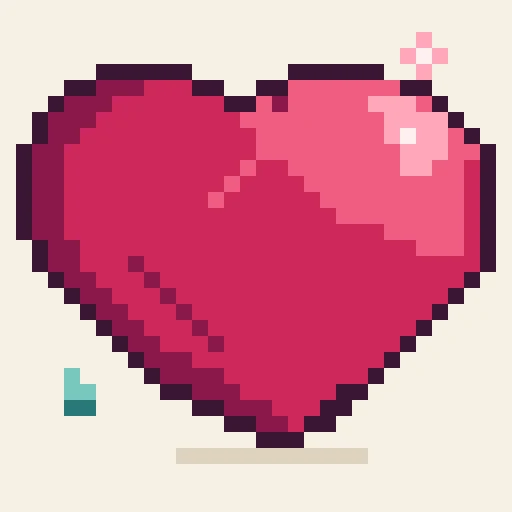
Original image
Original pixel-art heart gem sprite
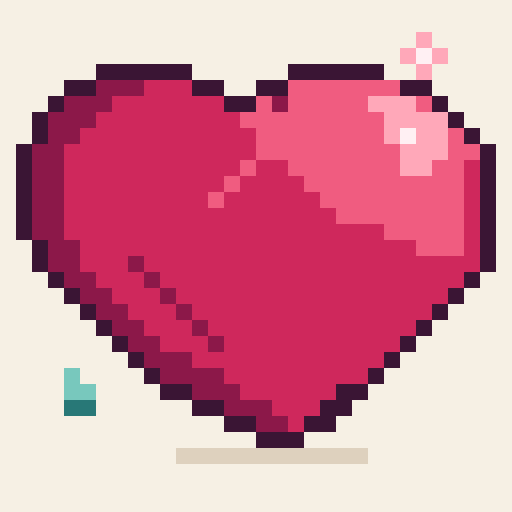
Basic SVG Free · in your browser
pixel-art heart gem sprite as a Basic SVG
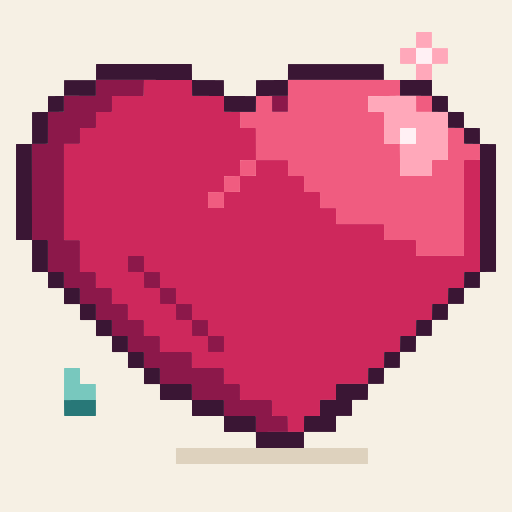
Advanced SVG 1 credit to convert
pixel-art heart gem sprite as an Advanced SVG

Both SVGs are real output from the source image above. Downloading an example is free; making your own Advanced SVG costs 1 credit.

How to turn pixel art into SVG

Pixel art with hard edges and a small palette is the easy case. A sprite that was already blurred or smoothly scaled before upload does not come back sharp.

One image: free Basic SVG in your browser. Advanced SVG is 1 credit; free allowances apply. Nothing is uploaded for Basic.

  1. Start from a hard-edged sprite

    Use the original pixel art, or scale it up with the nearest-neighbour option in any image editor so every pixel stays a square. Do not use bilinear or smooth scaling: a blurred sprite stays blurred after tracing.

  2. Upload it here

    Choose, drop or paste a PNG, JPG or WebP up to 20 MB. Basic SVG is traced in your browser and the image is not uploaded.

  3. Compare Basic and Advanced

    Basic is free and kept the grid and the 10-colour palette in the sample above. Advanced costs 1 credit; here it used fewer paths but produced a larger file, so pixel art usually does not need it. Free Advanced allowances are listed in the FAQ.

  4. Download the SVG

    Downloads are free. Open the file in an SVG editor and check the squares, colours and size before you use it.

Basic SVG is free. Advanced SVG is 1 credit.

You pay only when you get the file. Need editable slides instead? Image to PowerPoint.

Credit pack No subscription

$9.90one-time

  • Covers 15 Advanced SVGs, one at a time
  • Batch up to 10 SVGs as a .zip: 2 credits each, against 1 credit for a single SVG. A subscription batches at the single-file price.
  • $0.66 per credit
  • Credits last 12 months

Subscription

$19.90/ month

Billed monthly

  • Covers 50 Advanced SVGs every month
  • Batch up to 10 SVGs as a .zip at the single-file price: 1 credit each.
  • $0.40 per credit
  • Credits last 90 days

Prices in USD. Optional AI Clean-up is 1 credit. Free Advanced conversions: 1 per device without an account (once it is used, log in), 1 more with a Google login. Email-only accounts pay 1 credit. Cancel or change plans anytime in Credits & billing.

Questions

Anything else? Email us.

Is Basic SVG free, and what does Advanced cost?

Yes. Basic SVG is free and runs in your browser, so the image is not uploaded. Advanced SVG is 1 credit. Guests get one free Advanced conversion per device, then one more after signing in with Google; signing in with Google directly gives two. Email-code accounts have no free Advanced conversions. No subscription is needed.

Do I need Advanced SVG for pixel art?

Usually not. In the sample on this page Basic kept the square grid and all 10 colours in 59 paths and 11,148 B, while Advanced used 47 paths but 49,263 B: fewer paths, a larger file, and almost no visible difference. Try Basic first and only spend a credit if something is missing.

Will the pixel grid and colours be kept?

When the source has hard, nearest-neighbour edges, yes: the sample kept the square grid, the facet lines and its 10-colour palette in both files. The tracer turns each colour area into a filled shape, so the result is vector shapes in those colours, not the original pixel data.

My pixel art was scaled up and looks blurry. What can I do?

Use the original-size file, or scale it up again with the nearest-neighbour option in any image editor and upload that. A sprite that was smoothed with bilinear or another blurring method comes back blurry: in the example the blurred version produced 491 paths, 344 colours and a 226 KB file, with the grid and facet lines gone and only a flat pink heart and a soft halo left.

What files and size can I upload?

PNG, JPG or WebP up to 20 MB on the website. Keep the sprite at its original size or a whole-number multiple; a huge upscale is slower to trace and makes a larger SVG.

Can I use the SVG in a game engine or for laser engraving?

This page delivers an SVG file; we do not make claims about a particular game engine, cutter or engraving workflow. Open the downloaded file in the tool you plan to use and check the shapes, colours and size before relying on it.

Turn your pixel art into an SVG you can scale.

Or drop one PNG, JPG or WebP anywhere on this page.

My files

Pick up where you left off. Saved on this browser.

A fresh canvas awaits.

Images you convert will appear here.

Clearing browser data removes this history.