One PowerPoint Recommended
Just this one slide
$2.99one-time
- See a watermarked PowerPoint preview before you pay (free with Google sign-in)
- Pay only if you keep it
- One image at a time
- No monthly plan needed for one slide
Export your Figma frames as PNG, JPG or PDF. Upload them here for PowerPoint slides with native text boxes and vector shapes.
or drop images or a PDF ·
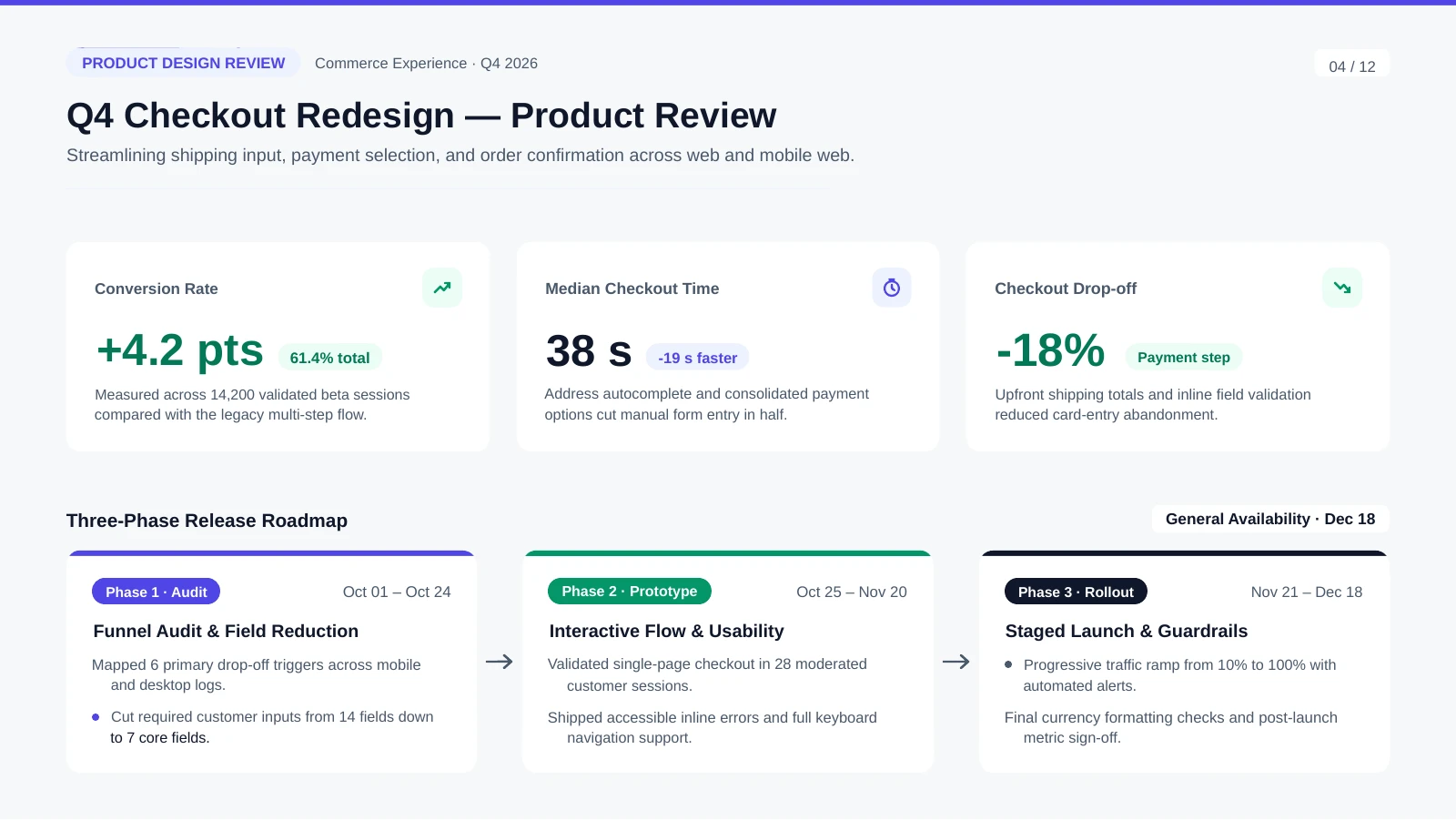
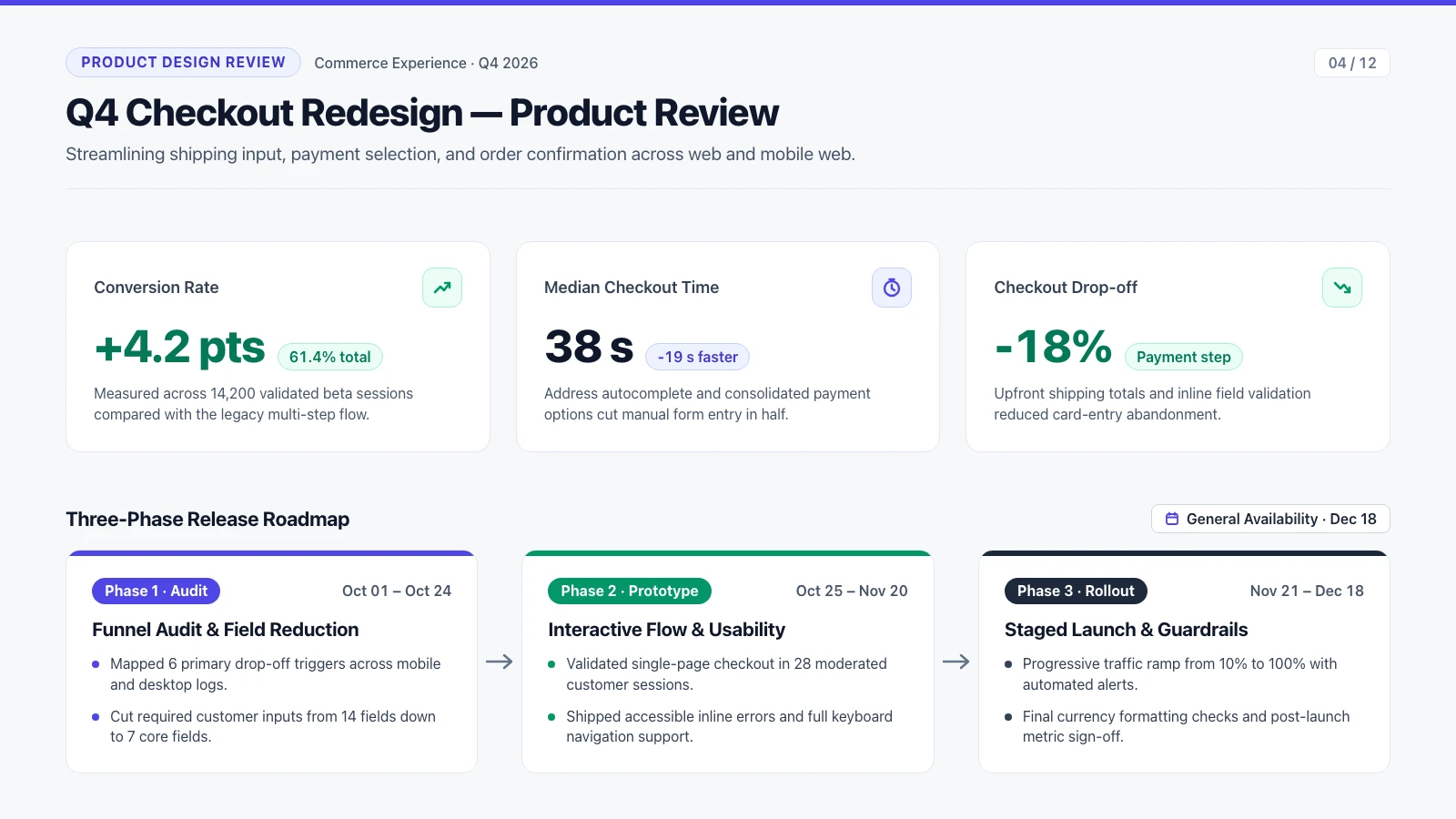 Original imageEditable PowerPointGreen outlines = native objects
Opens in PowerPoint, Keynote & Google Slides · No charge if it fails
Uploads are deleted after 30 days and never used to train our models
A Figma-style slide (Q4 Checkout Redesign) exported as a 1600 × 900 image and converted with Unraster. Compare the source export with the converted PowerPoint slide: outlines mark native text boxes and vector shapes, with no flat picture left on the slide.
Preview rendered from the downloadable PPTX. Outlines show native PowerPoint objects.
One image: a watermarked PowerPoint preview free with Google sign-in, then $2.99 or 2 credits. A PDF is 2 credits per delivered page; several images are 2 credits a page with a subscription, 3 without.
In Figma Design, select a frame and click Export in the right sidebar to save a PNG or JPG (2x keeps small text sharp), or choose File > Export frames to PDF... for a multi-frame deck (Figma exports frame PDFs at 1x). If your deck is already in Figma Slides, try File > Export slides to... > PPTX first; use Unraster for slides that flatten into images.
Drop a single PNG, JPG or WebP (up to 20 MB), several slide images (up to 30 with a subscription, 10 without), or one exported PDF (up to 30 pages). Unraster converts images and PDFs, not .fig files.
For a single slide image, sign in with Google and click “Make editable PowerPoint”. You get a free watermarked preview in the in-page editor (up to 3 a day), so you can inspect text boxes, retype wording and move objects before paying. Download stays locked until you unlock, and PDFs and multi-image decks have no free preview.
When the preview looks right, unlock the editable .pptx for $2.99 or 2 credits (edits made in the preview carry over when you unlock). A PDF deck costs 2 credits per delivered page; several images cost 2 credits a page with a subscription, or 3 without. Downloads are free once unlocked, and a failed conversion or failed page is never charged.
Open the .pptx in PowerPoint to retype headlines and metrics, recolour cards, move grouped icon tiles and apply your brand font with Replace Fonts. Check thin dividers, tiny icons and bullet dots against your Figma export before sharing.
Free watermarked preview with Google sign-in · failed conversions are never charged.
Just this one slide
$2.99one-time
Pay once, use any time · no subscription
$9.90one-time
Regular decks, every month
$19.90/ month
Billed monthly
One image: free preview, then $2.99 or 2 credits to unlock. A PDF or several images are priced per page. Full credit rules on the homepage →
Pay $2.99 once, no subscription. See the watermarked preview free with Google sign-in before you pay.
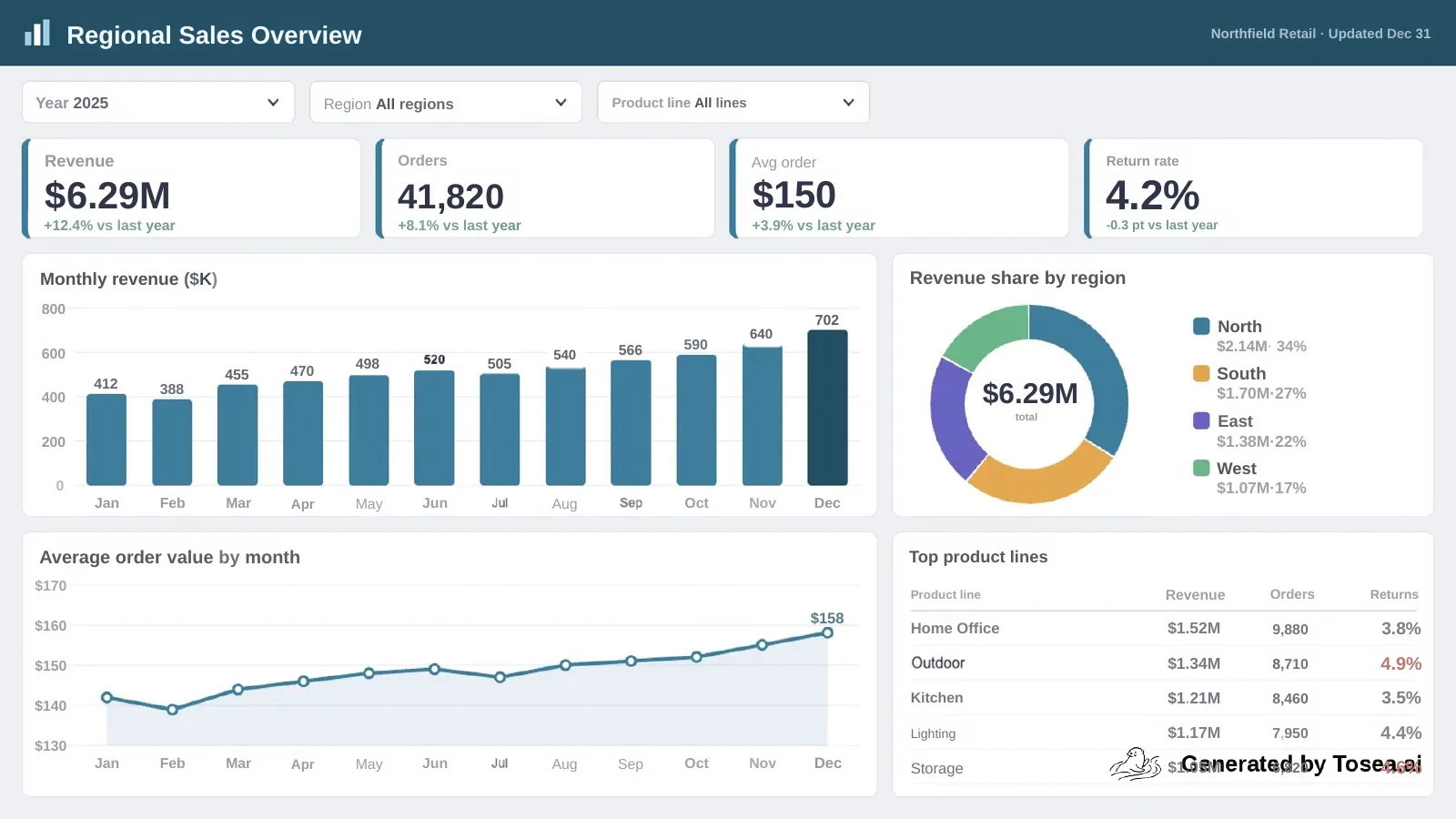
Unraster returned the charts and icons as 173, 210, 787 shapes you can recolour on the three test images; Codia 11, 16, 0, Tosea 0, 0, 0. The rest came back as pictures, and none of the three returns a native chart.
Sales dashboard: KPI cards, bar, donut and line charts, a table, filters
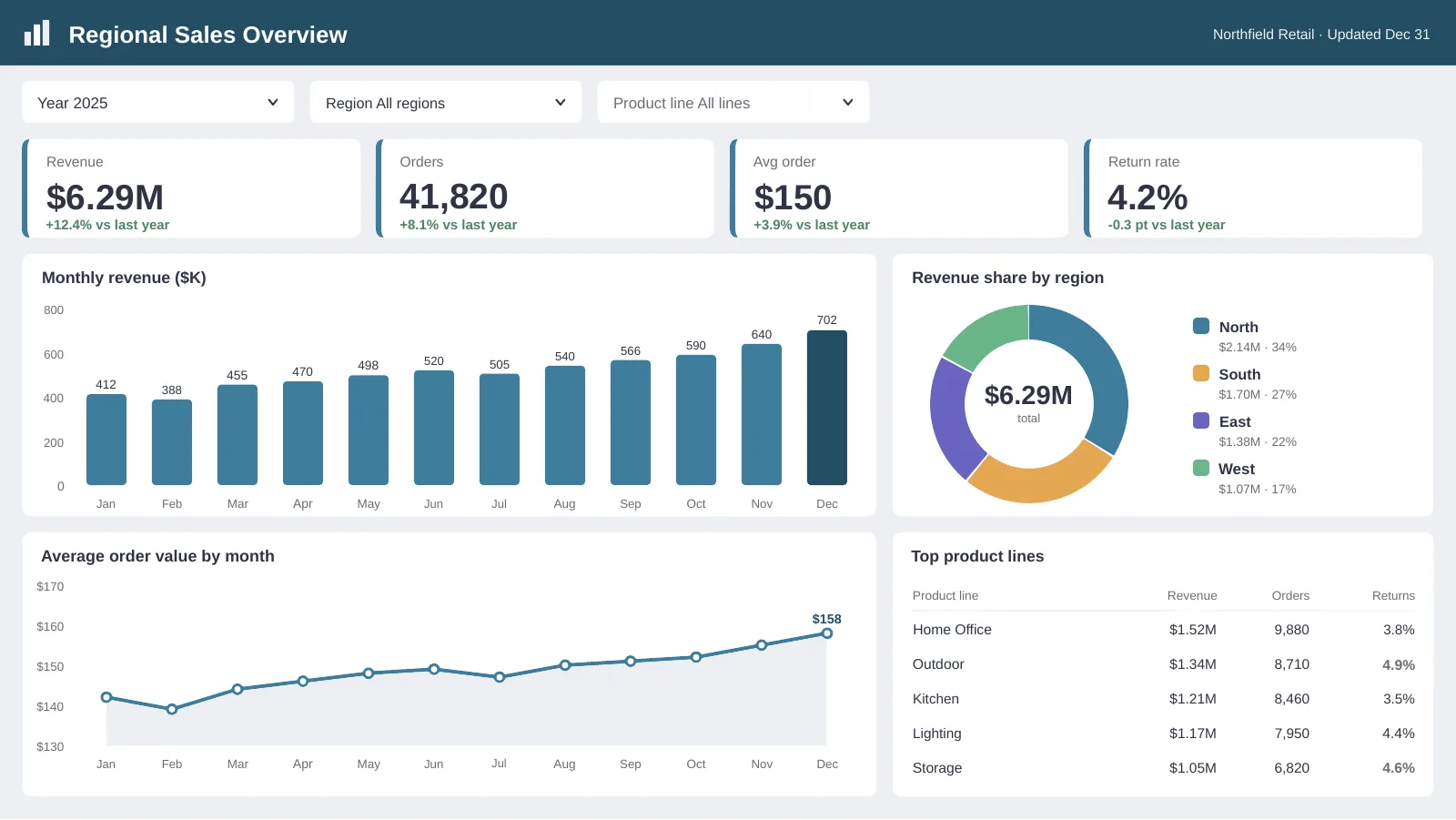
Unraster
Text boxes 102 · vector shapes 173 · pictures 0 · native charts 0
Free watermarked preview · $2.99 to keep it
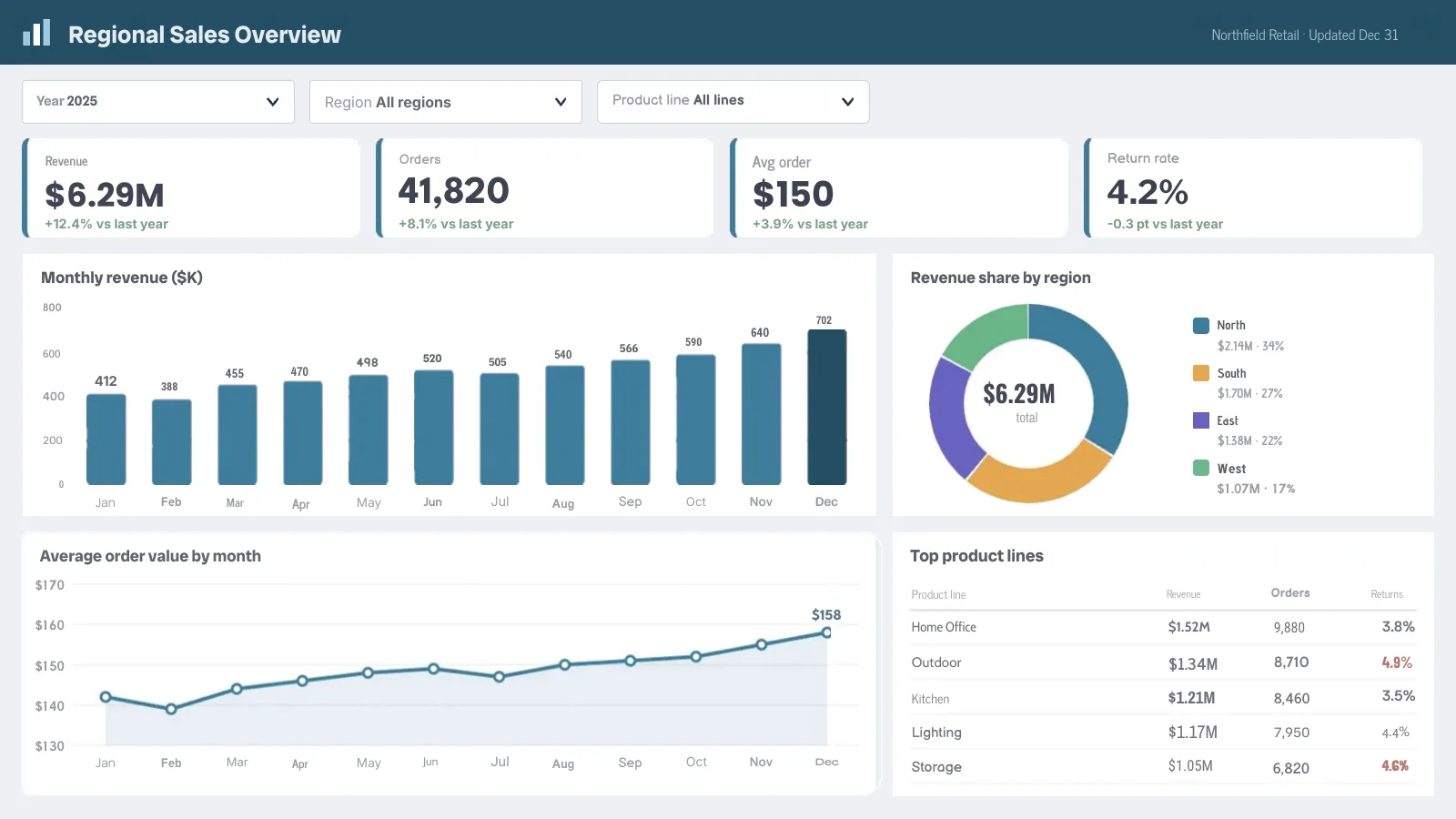
Codia NoteSlide
Text boxes 98 · vector shapes 11 · pictures 20 · native charts 0
Tosea
Text boxes 97 · vector shapes 0 · pictures 17 · native charts 0
Unraster redraws the charts as shapes you can recolour and drag; Codia and Tosea each add a full-slide background picture and return the chart parts as pictures. No tool returns a native PowerPoint chart.
Prices in USD. Optional AI Clean-up is 1 credit. Cancel or change plans anytime in Credits & billing.
Secure checkout by Stripe
Anything else? Email us.
No. Figma Design exports frames as PNG, JPG, SVG or PDF (via Export in the right panel or File > Export frames to PDF...), not .pptx. Without installing a third-party Figma plugin subscription, you can export your frames as 2x PNGs or a PDF and convert them here into a PowerPoint file with native text boxes and vector shapes.
Figma Slides has a built-in File > Export slides to... > PPTX command, which is the best first step when your deck already lives in Figma Slides. Even then, complex frames, effects or gradients can arrive flattened as static pictures or shift when fonts are missing. Unraster is built for Figma Design exports (PNG/JPG/PDF) and for rebuilding flattened Figma Slides frames into editable objects.
Yes, on the website. Use File > Export frames to PDF... in Figma Design (exported at 1x) and upload that PDF here: up to 30 pages become one .pptx with a slide per frame. Multi-page PDFs have no free preview and cost 2 credits per delivered page. You can also upload separate 2x PNGs—up to 30 with a subscription (2 credits a page) or 10 without (3 credits a page). Failed pages are not charged.
No. PowerPoint has no Auto-layout, variants or Figma design tokens. Unraster rebuilds the exported image into standard PowerPoint text boxes and vector shapes so anyone on your team can retype wording, resize cards and recolour elements in PowerPoint, though text boxes will not auto-reflow surrounding cards.
For a single slide image, yes. Sign in with Google to open a free watermarked preview in the in-page editor (up to 3 a day), so you can inspect text accuracy, retype labels and move objects before unlocking the .pptx for $2.99 or 2 credits. Edits made in the preview carry into the file when you unlock and download it, and you can keep editing in PowerPoint. Multi-page PDFs and multi-image decks do not include a free preview. Only delivered files are charged.
No. Unraster is not affiliated with Figma or Microsoft. Export menu paths follow Figma’s public help pages and may change with product updates. Unraster never connects to your Figma account or opens .fig files; it only processes the images or PDF you upload.
Or drop PNGs or a PDF anywhere on this page. Unraster is not affiliated with Figma or Microsoft; export menu names follow Figma’s public help pages.